
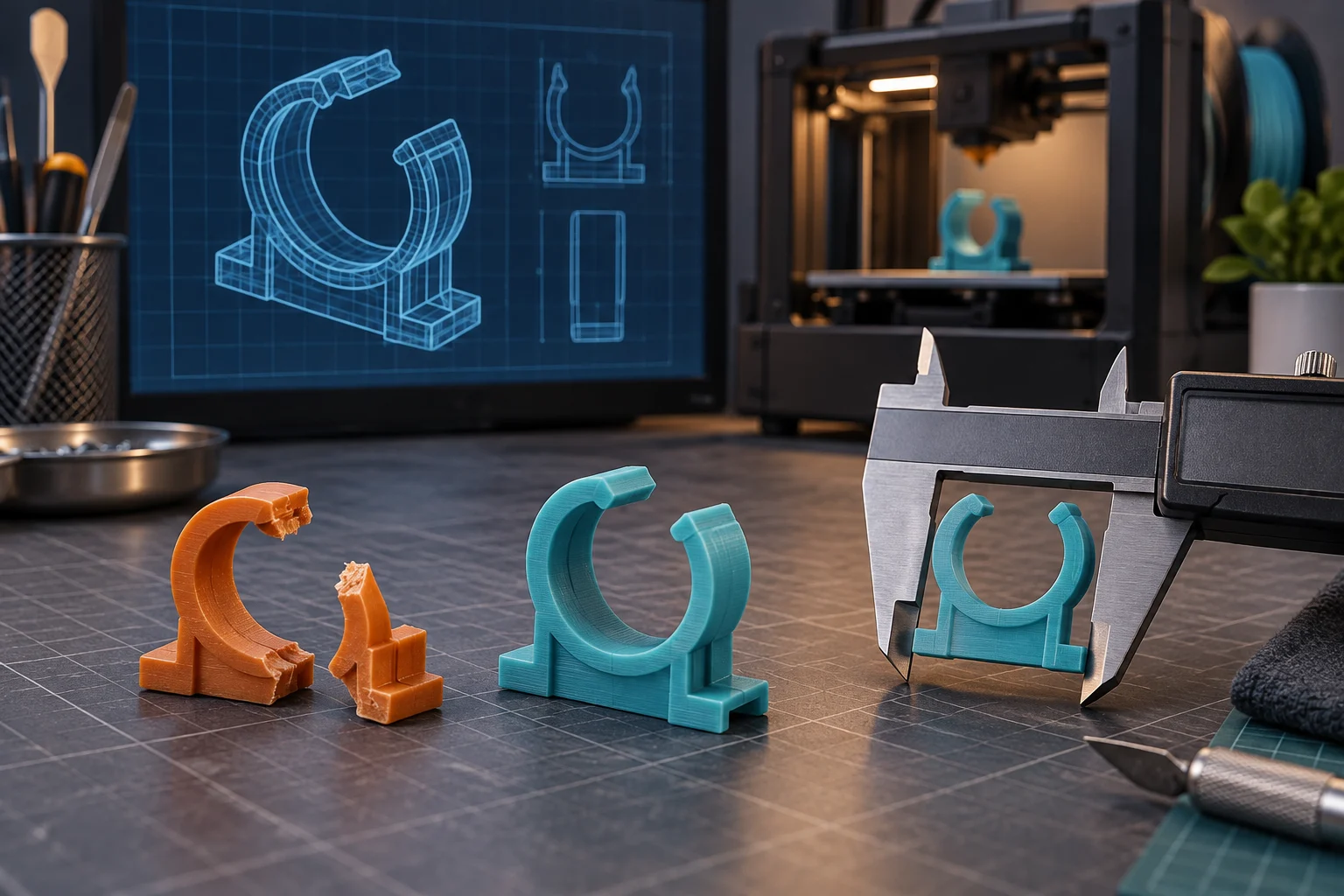

The coffee machine still works. So does the vacuum cleaner, camera tripod, workshop tool or twenty-year-old hi-fi system. What broke is a plastic clip the size of your thumb.
The manufacturer may sell the clip only as part of a €40 or €80 assembly. Or the replacement part may have been discontinued years ago.
Before buying the whole assembly, ask one more question: has somebody already modeled the broken part?
For many brackets, covers, knobs, clips, holders, adapters and enclosures, a useful replacement may not be sitting in a spare-parts warehouse. It may be somewhere on the public web as an STL or CAD file.
Start with the thing that actually broke
Imagine that the battery cover on an old device snaps. Searching for battery cover is not going to get you very far. Start with the information that makes your part different from several million other covers:
Bosch GLI 12V battery cover
Canon EOS 450D battery door
Technics SL-1200 knob
These are query patterns, not claims that a matching model is currently indexed. The exact product model is often your best clue.
If the part itself has a number molded, printed or stamped into it, try that too. Part numbers can be more reliable than descriptions because somebody else might call your “mounting bracket” a “holder”, “clip”, “support”, “mount” or “retainer”.
A useful search therefore starts with [model number] [part name] and then narrows to a 3D format:
[model number] battery cover STL
[part number] bracket STL
[model number] adapter STEP
The goal is not to search broadly for “3D printing”. It is to describe the broken object precisely enough that somebody else's model of it becomes findable.
Do not stop at STL
STL is the obvious format when you want to put a model into a slicer and print it. But it is not always the best file to find.
Someone may have published the same replacement as an OBJ mesh. An engineer may have shared a STEP or STP file instead. A flat replacement plate or gasket might exist as DXF or DWG. An older design resource may be available as IGES or IGS.
Autodesk's export documentation distinguishes STL's faceted representation, OBJ meshes, STEP and IGES exchange formats, and drawing formats such as DXF and DWG. Software support still varies, so check that your intended CAD or slicing application can open the particular file. Autodesk design export formats.
| What you want | Useful formats to try |
|---|---|
| Ready-to-inspect printable mesh | STL |
| General polygonal 3D model | OBJ |
| Editable engineering geometry | STEP, STP, IGES, IGS |
| Flat profile, plate or cutting outline | DXF, DWG |
You do not need to become a CAD expert to benefit from these files. If somebody has already done the difficult work of measuring the object and recreating its geometry, you have a starting point. A CAD file can often be exported into another format, adjusted by someone who knows CAD, or sent to a fabrication service.
If your STL search turns up nothing, change the format before concluding that nobody has modeled the part. Prusa's current format guide is one example of why that can work: its tools accept several mesh and CAD formats, although each one follows its own import path. Prusa supported file formats.
Search the part from several angles
The person who modeled your broken part may not have used the words you would use. Suppose a small plastic piece holds a hose against a machine. You call it a hose clip. Someone else calls it a hose holder. The service manual calls it a retaining bracket. The manufacturer calls it Part 46382. The person who uploaded the model calls it a replacement mount.
Those may all describe the same piece of plastic. If your first search fails, change the description while keeping the model or part number:
ABC-123 hose clip STL
ABC-123 hose holder STL
ABC-123 retaining bracket STL
46382 STL
A service manual or exploded-parts diagram can give you the manufacturer's name for the part you have been describing as “that little plastic thing next to the hinge.”
Search the product family, not only the exact model
Manufacturers frequently reuse parts. A knob from Model 410 may also fit Models 400, 405 and 415. Several appliances may share a hinge. A family of tools may use one battery mount. Products sold under different brands may even share an underlying design.
If the exact model produces nothing, look at closely related models. A model description that says “Fits ABC-120, ABC-121, ABC-125 and ABC-130” is more useful than a result containing your exact product name but the wrong geometry.
This works in the other direction too. Once you find a promising model, check whether its description explicitly mentions compatibility with your product. Do not assume that visually similar parts are identical.
FindFiles.net can search for the model file itself
If the thing you need is an STL, it can be frustrating to search through pages showing finished prints, photographs, discussions and products for sale. FindFiles.net lets you focus a search on publicly indexed STL files and other CAD or 3D formats.
Start with a query that combines the product, part and format:
Bosch GLI 12V bracket filetype:stl
Or search the part number:
If there is no STL result, widen the hunt:
You can also run the same description through the STL file search or explore the broader CAD file search. The examples show supported syntax; they do not promise that a particular replacement is currently present in the index.
A photograph proves that the part exists. A forum thread may show that other people have the same problem. A product listing may offer to sell you a replacement. A model file is different: it gives you geometry that you can inspect, adapt and potentially manufacture after the necessary checks.
Before printing, compare it with the broken part
Finding an STL with exactly the right name does not mean you should immediately press Print. Open and inspect the model first.
- Compare the overall shape and key dimensions.
- Check screw-hole positions, tabs, clips and mating surfaces.
- Look for left- and right-hand variants.
- Confirm the product revision and stated compatibility.
- Read the creator's notes, comments and related-file list.
- Check the units before assuming that a strangely tiny or enormous import is wrong.
If you still have the broken piece, measure it. A digital caliper is enormously useful. Even two or three basic measurements can tell you whether a promising model is full-size or merely looks similar in a screenshot.
Also keep the original project page, creator information and license with the file. Public availability does not by itself grant permission to modify, manufacture or redistribute a design. Creative Commons, for example, documents distinct attribution, noncommercial, ShareAlike and NoDerivatives conditions. Read the license actually attached to the model rather than guessing from the download button. Creative Commons license conditions.
The original part may have failed for a reason
A thin plastic tab that broke after ten years may not require much investigation. But if three replacement clips have all broken in the same place, the problem may be somewhere else.
Another component may be misaligned. The bracket may carry more force than intended. Heat or sunlight may have made the material brittle. The replacement may need a thicker wall, a larger fillet or a different orientation on the print bed.
That is one advantage of looking for community-created replacements rather than reproducing the manufacturer's geometry without thought. The best replacement may not be identical to the original. It may address the failure—but any redesign still needs to be evaluated for its actual load and environment.
FFF prints are direction-dependent, so orientation affects the strength of structural features. Prusa's modeling guide recommends orienting structural parts with that directional behavior in mind and checking that the model is a closed, printable solid. Prusa modeling guidance.
A printable model is not automatically a safe replacement
A replacement knob, cable guide, dust cover or remote-control battery door is one thing. A component holding substantial weight, containing mains electricity, carrying pressure, operating near high temperatures, forming part of a vehicle's safety system or protecting somebody from moving machinery is another.
An unknown model downloaded from the web should not be treated as an engineered or certified replacement merely because it fits. Different printing technologies, materials, wall settings and orientations can produce very different behavior under heat, sunlight, load and repeated flexing.
Material names alone are not enough either. Prusa's ASA documentation, for example, discusses specific temperature and ultraviolet-light resistance alongside demanding print conditions. Use the material manufacturer's data for your actual filament and process. Prusa ASA material guidance.
Printing itself also has hazards that depend on the equipment and material. NIOSH identifies emissions, hot surfaces, moving parts, electrical hazards and post-processing among the issues that makerspaces and small businesses should manage. Follow the printer and material instructions rather than treating the downloaded geometry as the entire workflow. NIOSH safe 3D-printing guidance.
For non-critical cosmetic and functional parts, a print can be a wonderfully simple repair. For safety-critical applications, use appropriately specified parts and qualified engineering judgment.
No printer? The model can still save you money
Finding the model does not obligate you to own a 3D printer. If you only need one small piece, buying a printer would be a rather spectacular way of avoiding a €40 spare part.
You can:
- ask a friend or local makerspace;
- use a commercial 3D-printing service;
- take the file to a fabrication shop;
- ask someone to modify the model before printing it;
- use the CAD geometry as a starting point for another manufacturing method.
The valuable thing is often not the printer. It is having usable geometry. Once the part exists as a digital model, you have options.
And if nobody has modeled it?
You have not necessarily reached the €40 checkout button yet. Search for a service manual or parts catalogue. Recover the official part name and number. Search related models. Look for CAD files rather than only STL. Check whether another product uses the same component.
If you still have the intact broken part, it may also be simple enough to model. A basic spacer, cover, knob or bracket can sometimes be recreated from a handful of measurements. More complex geometry may be worth handing to somebody with CAD experience.
The economics can become slightly absurd in your favor. A manufacturer may sell only a complete assembly because that is a sensible way to manage inventory. You only need the 12-gram piece that snapped off it.
Before replacing the product, search for the part
The next time a repair seems ridiculously expensive because of one insignificant piece of plastic, do not start with the price of the replacement assembly. Start with four questions:
- What is the exact product model?
- What is the broken part called?
- Does it have a part number?
- Has somebody already modeled it?
Search STL first when you want something printable. Try OBJ or engineering CAD formats when STL comes up empty. Use model numbers, part numbers and alternative descriptions rather than broad searches. Then verify dimensions, source, license, material and intended use before manufacturing anything.
Sometimes there will be no model. Sometimes there will be one that almost fits. And occasionally somebody on the other side of the world will already have measured, modeled and uploaded exactly the stupid little plastic bracket that just broke on your machine.
That is a much better thing to discover before spending €40.